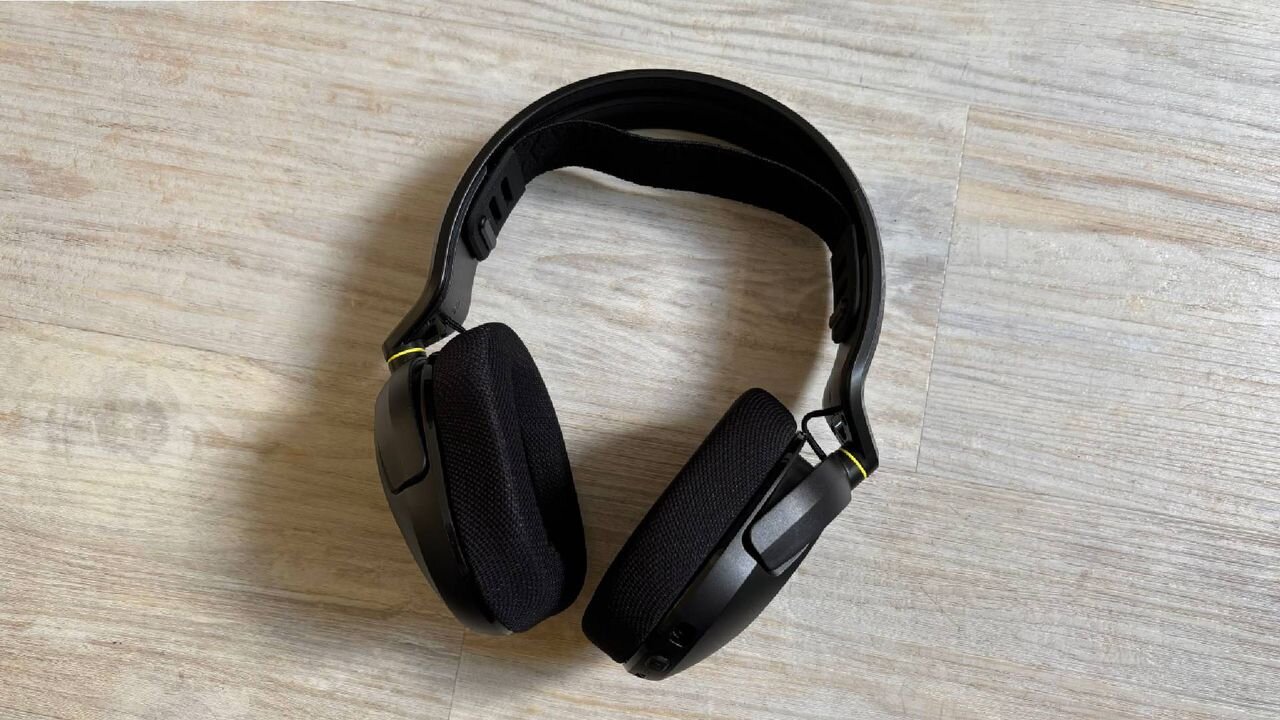
Corsair HS35 v3: One-minute reivew
The Corsair HS35 v3 wireless gaming headset is an underdog in the mid-range category. It doesn't feature a huge number of flourishes to help set it above its competitors, but instead hones in on what really matters: audio quality and microphone performance.
It delivers crystal clear audio no matter what you're using it for, whether that's gaming, calls, or getting some tunes in while you work. There's no software to fiddle around with, and barely any buttons to get used to. If you need something that's good to go as soon as it's out of the box, this headset definitely suits.
Comfort is also clearly key with the Corsair HS35 v3. Between the floating headband design, the soft, cushioned earcups, and the lightweight design, at no point did I have to readjust the headset, my glasses, or take a break from wearing it. Again, for a mid-range headset, it feels surprisingly high-quality.
Although I appreciate its simplicity, there are definitely a few things that are bound to put a competitive gamer off, and most of that comes through its lack of customisation. It's great that the headset is good to go as soon as it's out of the box, rather than having to worry about downloading any more software, but if you want to make the most of its full audio capabilities, the lack of these features might be make-or-break.
(Image credit: Future)
Corsair HS35 v3: Price and Availability
Priced at $79.99/£69.99/$124.99AU
Available via Corsair and major retailers
White and black versions available
The Corsair HS35 v3 will set you back a reasonable $79.99 / £69.99 / AU$124.99, so it's by no means a premium headset. But it's certainly not a budget pick either. Fortunately, it manages to justify its price through the quality of its audio and microphone, making it a worthy option for anyone looking to upgrade their current setup, or looking to stray from the typical features of a wireless gaming headset.
In fact, the only reason the headset isn't more expensive is probably due to its lack of additional software, and the fact that there are no typical flourishes you'd usually find on a gaming headset like an input switch button, a microphone that tucks away on the headset itself, or a separate mic mute button. Despite these "missing" features, though, the core expectation of the headset, providing high-quality sound during gaming, is definitely met.
Corsair HS35 v3: Specs
Corsair HS35 v3
Price
$79.99 / £69.99 / AU$124.99
Weight
8.8oz / 250g
Compatability
PC, PlayStation, Nintendo Switch, Mobile
Connection type
Wireless 2.4GHz / Bluetooth 5.2 / USB Wired
Battery
30 hours
Software
None
(Image credit: Future)
Corsair HS35 v3: Design and features
Incredibly lightweight design
Doesn't look as bulky as other gaming headsets
Sleek, all-black design
Straight out of the box, the Corsair HS35 v3 doesn't look too dissimilar to the vast majority of wireless gaming headsets available. Its entirely black design is sleek, with subtle Corsair logos in a black gloss on each ear cup, alongside branding in white across the top of the headband. This is definitely my preferred style, rather than having any RGB flair for the sake of it, just because it feels like something you can use for everything, rather than having to swap out your rather garish gaming headset when you want to listen to music or attend a meeting.
In fact, there aren't any flourishes at all on the Corsair HS35 v3. Aside from the incredibly subtle branding, the only thing that offers a pop of colour is two yellow bands that connect the ear cups to the headband. The rest of the headset maintains the stylish black appearance, and it's certainly better for it. If I didn't spend so much time tethered to my PC or console, I'd definitely be content in taking this headset out on a commute rather than a pair of earphones. It's definitely one of the simpler headsets I've ever used. Not only in terms of design, but also how simple its layout is.
One thing that immediately stood out was the lack of wheels or dials to control your volume. I didn't realise how much of a make-or-break this was to me, but as it turns out, I actually like being able to tune my audio volume to the decibel. The Corsair HS35 v3 exchanges the wheel I know and love in favour of a little toggle/lever which takes your audio up or down two at a time. It's such a small frustration, but it definitely felt like I had less control over exactly how I wanted my audio to be. Especially after using the Razer Blackshark V3 for so long, alongside other similarly priced headsets such as the JBL Quantum 360X wireless .
(Image credit: Future)
In fact, the ear cups are surprisingly bare. Alongside the aforementioned toggle, you've got the power button, alongside the USB-C port on the left ear cup. On the right, you've got absolutely nothing. There's not even a separate mic mute button; you just push in the volume toggle. It's great for someone like me who always takes an embarrassingly long time to get used to the layout of a new headset; this definitely felt like a blessing in disguise. As a result, the headset feels incredibly straightforward to set up and use. Though this does feel like you're sacrificing some of the customisation you'd usually get.
Additional software which helps you to customise your listening profiles, like the SteelSeries Arctis Nova Pro , definitely feels like a more premium add-on. Since the Corsair HS35 v3 is a mid-range headset, it's not surprising that it doesn't boast the same features. But if you're looking to replace your headset for a slightly cheaper model, this lack of complete control and customisation definitely might put buyers off.
(Image credit: Future)
Corsair HS35 v3: Performance
30-hour battery life
Comfortable for long sessions due to floating headband
Fantastic audio quality
I've been using the Razer Blackshark V3 for well over a year now, so "downgrading" to a more reasonably priced headset definitel...