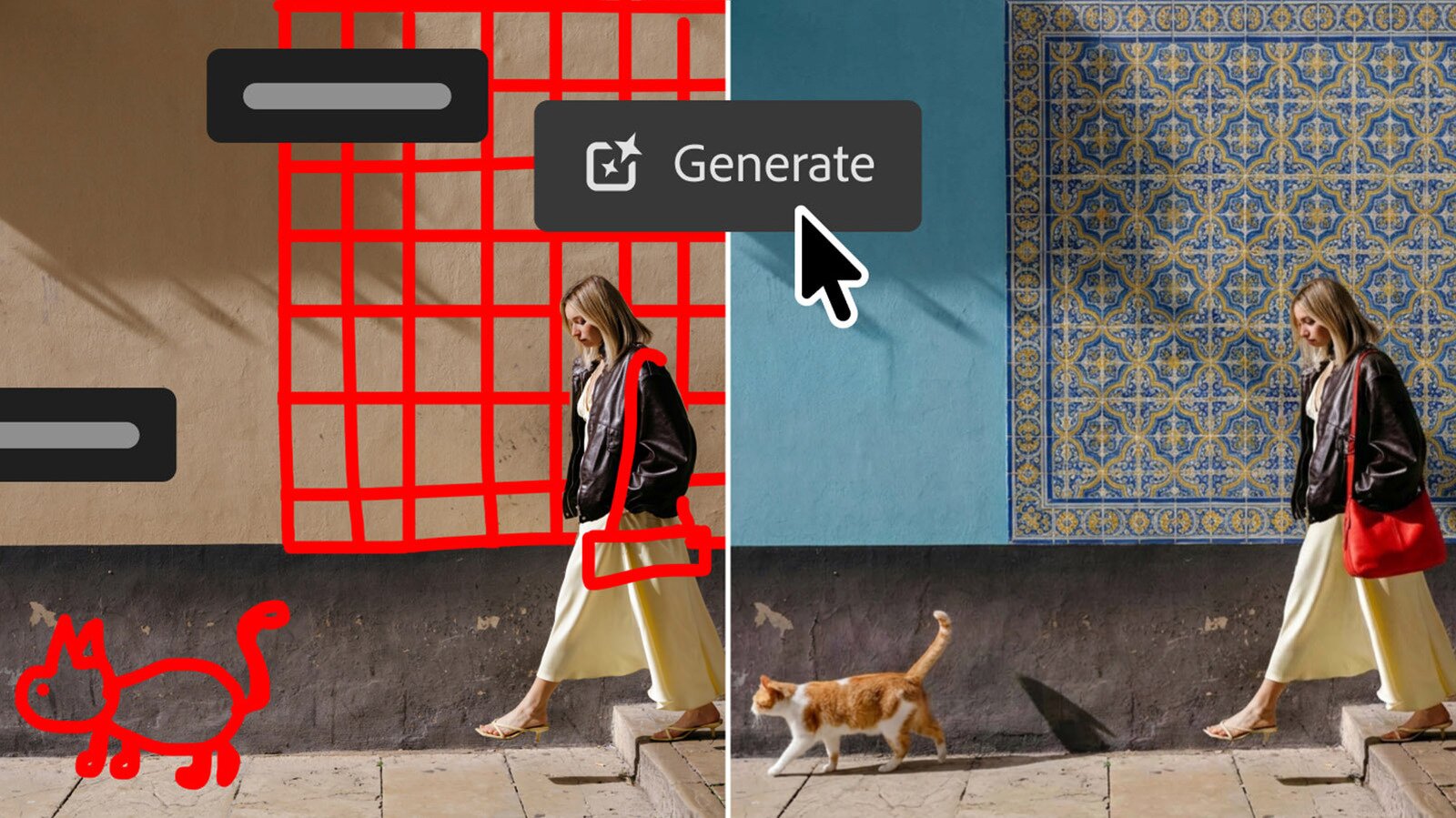
Adobe finally brought Lightroom-style controls to Photoshop as well.
Adobe Photoshop seems to be all about the AI tools these days, and the latest release certainly has its share of those. However, Adobe is finally introducing something else that Photoshop users have demanded for a long time: lighting controls like those in Lightroom. That will help save time for simple edits by allowing creators to do RAW-quality edits without leaving the Photoshop app.
The new Light Adjustment Layer promises "professional-grade lighting controls" in a non-destructive layer. Those controls include exposure, contrast, highlights, shadows, whites and blacks, allowing for "camera raw-level results without ever leaving your Photoshop layers workflow," Adobe explained. As a regular Photoshop and Lightroom user, I would say that it's about time the company introduced this feature.
Meanwhile, the new AI features are all about image generation. The first of those is "Instruct Edit with Masks," powered by Firefly Image 5. Once you've masked off the working part of your image, you can describe the precise edits you want "such as opening closed eyes or placing a hat on a specific person's head" via simple prompts, Adobe explains. The unmasked areas won't be touched so important elements are protected.
Another one, called Markup, looks pretty clever. Working in conjunction with text prompts, it lets you show the AI exactly what you want by drawing your idea directly on the image. "Select areas to recolor, sketch arrows to indicate position or brush in rough shapes to suggest new elements," Adobe says. In one example, it shows a rougly drawn cat and wall tiles, which the AI then duly fills in with photorealistic LLM-created elements.
Adobe is also introducing the AI Assisted Editor in beta, which groups together a bunch of Photoshop's AI tools with a dedicated interface and natural-language prompt bar. Those include Prompt to Edit, which lets you transform images using natural language prompts, along with Remove Background, Generative Expand, the Remove Tool, Generative Fill, Generative Upscale and AI Markup. You can continue to use those tools in the regular pro interface as well.
Other new features include Dynamic Text, Shapes and Paths, that extends Photoshop's Dynamic Text to any custom shape or path. Adobe also built a Stock Panel Integration that puts more than 900 million Adobe Stock assets right inside Photoshop in a dockable panel. All of those features are now available in the latest Photoshop update, which you can find on Creative Cloud .