To be online is to expose yourself to numerous threats, and those aren’t limited to hackers and viruses; data brokers, free services where you pay with your information, and — depending on your situation — even your own government can be a concern too. And when your whole online life is accessible from a phone in your pocket, there’s also the real threat of a thief getting into it.
With all that in mind, I’ve always been somewhat security conscious, but I’ve also historically been a bit inconsistent about my security practices, and tended to prioritize convenience over safety. A while back, though, I started taking things more seriously.
I started listening to podcasts like Firewalls Don’t Stop Dragons , digging into privacy and security subreddits, and trying out numerous new products and services to beef up my digital defenses.
But let’s look at where I started first. Before embarking on this journey, I already used both Norton as my primary desktop antivirus and Malwarebytes as an on-demand scanner. I also used a password manager ( 1Password ) across both phone and desktop, and ensured all my passwords were strong and unique.
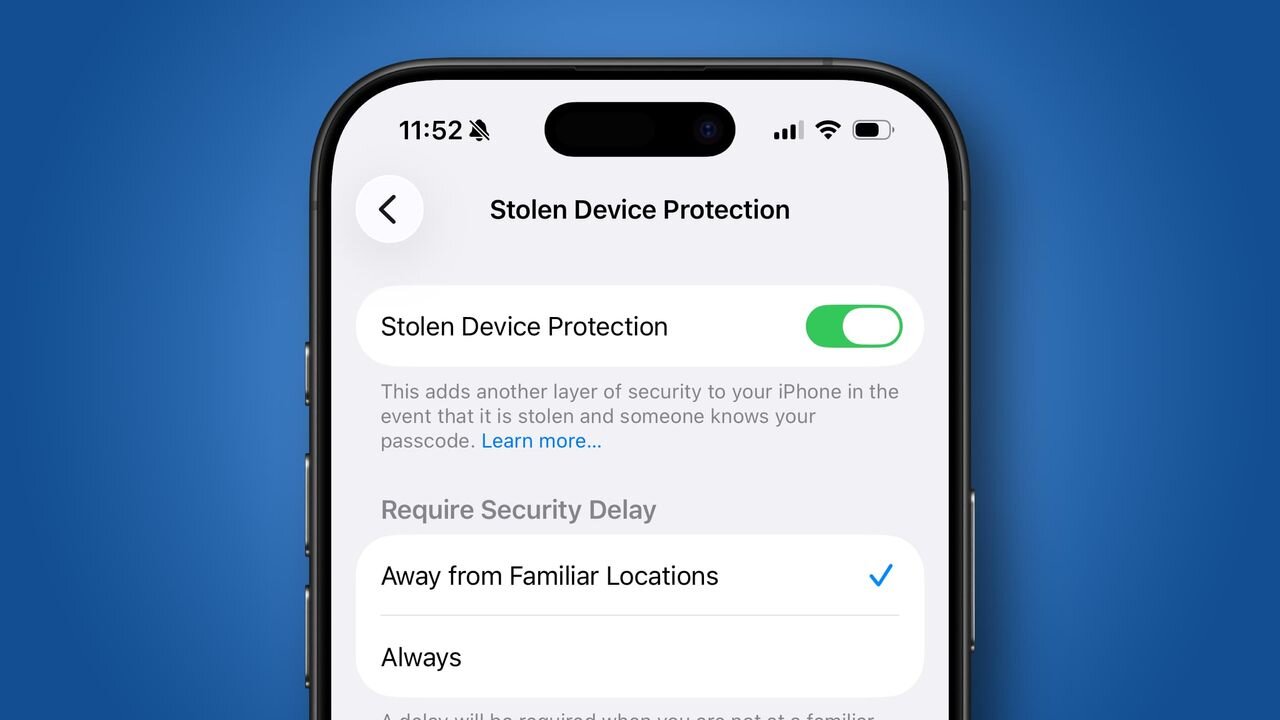
On my iPhone, I had Stolen Device Protection enabled, which makes it harder for thieves to access sensitive information or change my Apple account password.
And I had two-factor authentication set up for everything that would allow it — opting for one of the best authenticator apps over SMS, since the latter is vulnerable to SIM swap attacks , where hackers convince your mobile network to port your number to their device.
I still do all those things now, and would recommend most other people do too — though when it comes to the best antivirus and best password manager , there are several other options to consider as well. But I’ve also added other services and even devices to my security toolkit.
Encrypting everything
(Image credit: Proton)
There’s a saying that “if something is free, you are the product," and that’s largely true — and can have massive privacy implications.
Did you know, for example, that Gmail and Outlook can use AI or other automated systems to scan the content of your emails? And while the companies claim they’re not read by people, in theory it’s possible for them to be, either by the company itself, or by law enforcement if they’re ever served a warrant.
But you don’t have to be committing crimes to feel uneasy about the idea of an AI essentially reading all your supposedly private communications.
And this issue isn’t limited to email — the same privacy concerns apply to most free cloud storage services, whether we’re talking photo storage things like Google Photos, or general purpose ones like Dropbox.
Some services are worse for this than others, but if they’re not end-to-end encrypted, then your files, photos, and missives can, in theory, be viewed by people other than you and any recipient. That means, even if you’re not using a free service, you might still be making privacy compromises if the company has other priorities, though free options tend to be the worst for this sort of thing.
So with that in mind, I signed up with Proton Unlimited, giving me end-to-end encrypted email through Proton Mail , and cloud storage through Proton Drive .
(Image credit: Proton)
As a bonus, Proton Unlimited also comes with a capable VPN and password manager in Proton VPN and Proton Pass . I use the former (more on this below), but not the latter, as personally, I prefer 1Password, and also don’t love the idea of having my whole security infrastructure handled by one brand.
This hasn’t been a complete switch, as I do in fact still use my less secure emails and cloud storage for some things, but sensitive stuff like bank logins have all been switched to Proton, while things like encryption keys are backed up in Proton Drive.
Part of why I haven’t fully switched is just the hassle of moving everything across, but encryption does come with some downsides. For example, it makes the search function more limited, as even the app can’t read the content of documents or other files.
And there are upsides to keeping alternative email addresses, as I can use them for things that I don’t trust not to spam me, or for accounts I don't trust not to get hacked, while my more important logins and communications are all kept secure at another address.
Though on that front, Proton does have the handy ability to let you create unlimited hide-my-email aliases, so I don’t strictly need a whole separate account for this.
In any case, while I recommend Proton as the best secure email provider , there are other options too, like Tuta and Mailbox.org , and many of these do have free plans too, though those are usually quite limited.
Taking control of my digital footprint
The Proton VPN Android app (Image credit: Future)
My privacy journey also led me to limit what traces of myself can be found online, and the big thing there, of course, is a VPN.
Technically, I wasn’t new to VPNs, but in the past I mostly only used them to get around regional restrictions. Now, I have a VPN active most of the time. This hides my location from websites, since they don’t see my real IP. It also hides my browsing activity from my ISP, and it keeps my passwords and other private information more secure when using public Wi-Fi, so it has a lot of upsides.
The main downside, as I see it, is that some sites block VPNs, so you potentially need to disable it at times if you want to access those sites. However, they don’t always block every VPN server, so simply switching servers can solve that issue.
If you’re on a device that supports split tunnelling, then you could also enable this — allowing you, for example, to have a secondary browser that doesn’t connect via VPN for sites where it’s an issue, while everything else you do does. As noted above, I use Proton VPN, but there are other great options too in our best VPNs guide.
But VPNs are just one part of reducing your di...