Why should a creator’s laptop be boring? Lenovo is normally a company that’s willing to—if not break the mold — then stretch it with colorful and occasionally outlandish laptop designs. With the Lenovo Pro 9i 16 G11 Aura Edition, it feels as if some energy-vampire corporate type sucked the joy from what could have been a specialized and fun laptop and instead gave us a gray approximation of what such a creature imagines "professional" creatives crave.
Lenovo wanted to sit with the big dogs of "Pro" laptops, and it did so in a very Dell way (specifically, when that company dropped and then resurrected its longtime XPS branding). The Lenovo Pro 9i, aka the Legion Pro 916IPH11, ditches any hint of its "Yoga" language for no good reason (the name is still applied on this same laptop sold outside the U.S.). Lenovo wants to position this machine as a jack-of-all-trades laptop, and it certainly hits that mark—if the eponymous “Jack” in this case wasn’t all that fun at parties or didn’t have the social/physical battery to last a whole day of work.
It has a seriously impressive screen and sound stage, brought down by pointless stylus features and an ugly look.
But don’t let Lenovo pretend this is anything but an ideal creator’s laptop. The Lenovo Pro 9i includes a glossy 16-inch display that hits a high-water mark for visual quality with its seriously bright tandem OLED screen. In a cursory nod to other "fun" devices, the Lenovo Pro 9i even steals Acer’s whole brand of letting you use a stylus on the trackpad rather than on the touchscreen. If anything, it's unique enough to make you consider having a mobile drawing pad.
Beyond that, this laptop feels great but isn't exemplary for its $2,400 starting price, though that version of the laptop only comes with an RTX 5050 CPU and no tandem OLED display. The review unit I tested would cost just under $3,070. That's a hard pill to swallow when performance isn't going to be peak with these specs. It sports strong Intel Core Ultra 9 386H CPU performance and the power necessary for an Nvidia GeForce RTX 5060 laptop GPU. It all comes together to form a kind of workman’s creative laptop, a device that does the job but doesn’t spark joy.
Even though Lenovo’s “Pro” laptop features the same sloping edges of Lenovo’s Yoga line, it’s not the most aesthetically pleasing laptop you may slip into your bag. The Lenovo Pro 9i's not thick at 0.68 inches when closed up, but the rounded sides give the impression it's larger than it actually is.
The Lenovo Pro 9i clocks in at just under 4.2 pounds, which is lighter on average than 16-inch laptops like the Razer Blade 16 or the 16-inch M5 Pro / M5 Max MacBook Pro at 4.7 pounds. This would be enough to have me celebrating the overall design, but there’s some inexplicable quality of the “thunder gray” coloring, like a dirty length of slate, that makes it ugly. I want to apply stickers to the lid until the device looks like a NASCAR racer, just to cover up the dreary colorway.
The keyboard and area around the trackpad are also easily smudged by your fingerprints, which doesn't help it look clean. What you will get for your aesthetic troubles is a bounty of ports. To the right of the keyboard you’ll have access to two USB-A ports alongside an SD card slot. The power button doesn’t accept fingerprint unlock, though there is a switch for a digital webcam shutter. On the flip side, the Lenovo Pro 9i has two Thunderbolt 4 USB-C ports (there’s no access to Thunderbolt 5 due to the Intel Core Ultra Series 3 chip ), an HDMI, and a headphone jack. This is where you’ll also find the extra-large proprietary charging port.
While each Thunderbolt 4 port can accept between 65W and 100W of charging, you’ll need the big, honking 245W power brick to power the Legion Pro 9i’s max TDP of 130W. The other benefit of the brick is the promise of fast charging for the 92.5Wh battery. I managed to go from 20% to 100% in a little less than an hour, all while running some intensive benchmarks.
Intel’s Panther Lake chip was designed for lightweight laptops, where normally Thunderbolt 4 is good enough for hitting its peak charging rate. That isn’t the case here. You won’t manage to push the laptop to its peak performance and not eventually run out of battery without the big brick in your bag.
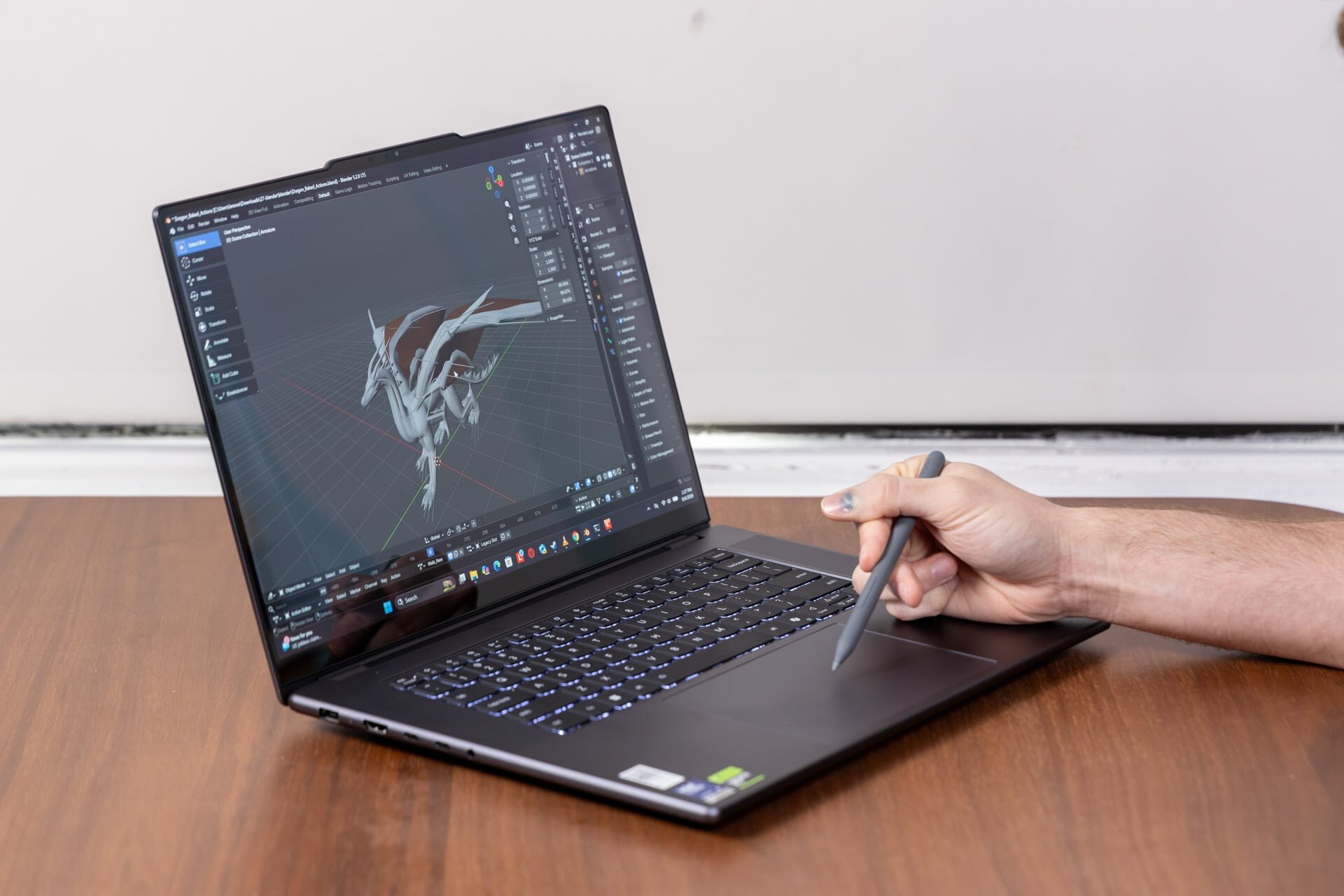
Acer laptops, like the company’s Triton 14 AI from 2025 and its more recent Swift 16 AI , both feature a trackpad that can accept stylus inputs. Lenovo took that idea and ran with it for the Pro 9i. The box comes with a Yoga Pen Gen 2, and upon unboxing the laptop, you'll find the stylus inside a simple paper package located underneath the power brick packaging, a location so innocuous I imagine somebody may throw it out with the box by accident.
While Lenovo’s 16-inch display is indeed a touchscreen, you can’t use the stylus with it. The pen only works on the trackpad, where it acts more like a drawing pad than a typical tablet. The Yoga Pen Gen 2 has hover detection a few millimeters above the trackpad, which allows users to get an approximate place for their cursor before pressing down. It’s also a relatively large trackpad at about 3.7 x 4.1 inches. That’s enough space for scribbling or other fiddly tasks that could use a more-accurate pointer than your finger. I just don’t know how useful the pen is for both creators and non-creative types.
There’s nowhere to stick the pen on the laptop, even though this pen includes magnets that will adhere to random parts of the shell. Ideally, you keep the stylus in a different laptop sleeve and hope you never forget it after you take it out at the local Starbucks.
The pen automatically connects to the laptop, has pressure sensitivity, and features two extra customizable buttons you’re supposedly able to modify in the Lenovo Pen Settings app. However, some of these functions don’t seem built for use on a trackpad. The pen app enables a customizable radial menu when you hold a button and click on the trackpad...